
Customs Automation Software: Features, Integrations, and Use Cases
Learn what customs automation software is, what its main features are, which integrations it can support, and what its practical use cases are.
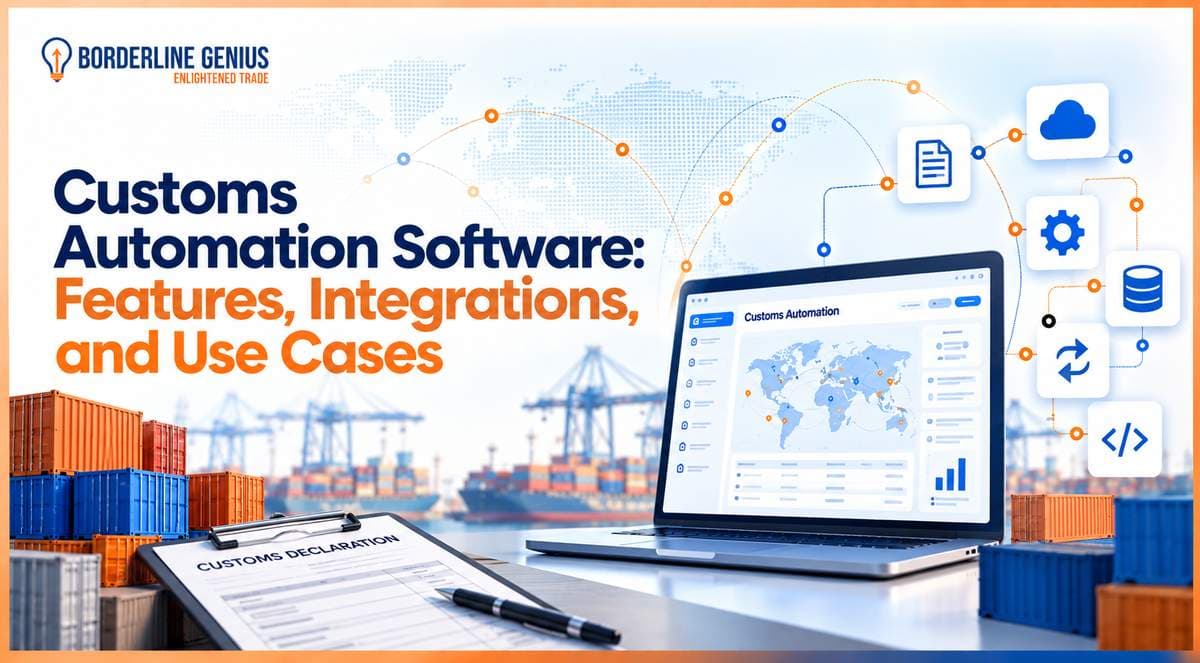
Customs automation software helps businesses manage customs processes more accurately and efficiently as cross-border trade becomes increasingly data-driven. It automates activities such as customs declarations and product classification to reduce repetitive manual work. Its effectiveness largely depends on the features and integrations it provides. Its key features include HS code classification and customs declaration management, which support essential customs activities. Meanwhile, ERP and logistics system integrations connect business data with customs workflows to help information move between systems. These capabilities make the software useful across different trade operations like high-volume imports, exports, eCommerce shipments, and multi-country trade.
What is Customs Automation Software?
In simple terms, customs automation software is a digital system that helps a business automate and manage customs-related processes. It can support HS code classification, duty calculations, customs declarations, document management, and compliance validation.
What are the Main Features of Customs Automation Software?
Customs automation software typically combines data management, declaration processing, compliance checks, and documentation in one workflow. The specific capabilities vary by provider. But several features are commonly important for businesses managing regular cross-border shipments.
HS Code and Product Classification Management
Product classification and HS code management are customs software features that enable companies to maintain customs classification information for products. The software can store classification data and apply it during customs processes.
-
This can reduce repetitive data entry.
-
Thus, compliance teams can identify classification information that requires review before a declaration is submitted.
Customs Declaration Management
Another important feature of automated customs software is customs declaration management. Through this, businesses can prepare and oversee information required for declarations. The software can organize shipment data, apply relevant validation rules, and support workflows. This can make declaration processing more consistent, particularly while handling large numbers of transactions across borders.
Duty Calculation and Customs Valuation
Customs valuation and duty calculation are customs automation software features that allow determining applicable customs charges. For this, relevant transaction and tariff information is used. The digital system can apply configured calculation rules to support duty and tax estimation. These capabilities can also help review potential customs costs before completing a transaction.
Compliance Rules and Validation
The rules for compliance and validation help identify missing, inconsistent, or potentially incorrect information before customs data is submitted. Businesses can use configured checks to review classification, documentation, valuation, and other applicable requirements. Exceptions can then be routed for review rather than being overlooked during manual processing.
Document Management
The management of document is a feature of customs compliance automation software that keeps customs-related papers organized within the relevant workflow. A business may need to manage commercial invoices, packing lists, certificates, permits, and other supporting records. Centralized document handling can make required information easier to retrieve during declaration processing, compliance reviews, or customs audits.
What Integrations Does Customs Automation Software Need?
ERP integration is particularly important for customs automation software. This is because enterprise systems often contain product, order, supplier, customer, and financial information required for customs processes. Connecting these systems can reduce duplicate data entry and allow the respective business information to flow into customs workflows.
Other useful integrations for the system can include:
-
Transportation management systems can provide shipment and transportation information required during customs processing.
-
Warehouse management systems can connect inventory and shipment information with customs workflows.
-
eCommerce platforms can provide order and product data for organizations handling high volumes of cross-border transactions.
-
Customs and government systems can support electronic submission and communication where applicable.
-
Tariff and trade data sources can provide information needed for classification, duty calculations, and other customs requirements.
What are the Main Use Cases for Customs Management Software?
Customs management software can support companies that manage frequent or complex cross-border transactions. Its use cases range from high-volume import and export operations to eCommerce shipments, customs brokerage, and multi-country trade activities.
Some of the common use cases comprise the following:
-
High-volume importers can use automation to manage large numbers of customs declarations and reduce repetitive processing.
-
Exporters can use the software to organize export declaration workflows and supporting documentation.
-
eCommerce businesses can apply automated customs workflows to manage large volumes of international orders.
-
Customs brokers and freight forwarders can use it to manage declarations and customs-related information for multiple clients.
-
Companies operating across multiple countries can use centralized workflows to manage different customs requirements and processes.
-
Compliance teams can use stored records and audit trails to support post-entry reviews and customs audits.
Which is the Best Customs Automation Software?
Borderline Genius Inc. offers customs automation software designed to assist companies in managing customs processes through centralized digital workflows. Its focus makes it a suitable option for organizations looking to reduce manual customs work while improving the management of classification, declarations, documentation, and compliance activities.
5 key reasons businesses should consider this system include:
-
The software can help organize customs-related processes within a centralized workflow.
-
One can use automation to reduce repetitive manual data handling across customs activities.
-
Classification and customs declaration processes can be managed as part of a structured customs workflow.
-
Integration capabilities can help connect customs processes with existing business systems.
-
Centralized information can make customs records easier to manage and review.
Conclusion
Customs automation software is useful for managing customs declarations, classification, documentation, etc., more efficiently. Its value depends on the features available, integration with existing systems, and suitability for specific use cases. Businesses should evaluate these areas carefully before selecting a specific system.
Frequently asked questions
Navigate Global Trade With Greater Confidence
Access expert guidance to help your organization address complex trade, classification, tariff, and compliance challenges.
Talk to a Trade ExpertRelated articles
Keep reading with more guidance on trade compliance and classification.
 Classification GeniusHS ClassificationCustoms Brokers7 min read
Customs Classification: How to Classify Products for Accurate Duty Assessment?
Understand customs classification and how to classify products, determine the correct duty treatment using the appropriate tariff code, and apply tariff rules.
Read article Customs BrokersTrade ComplianceGenius Workspace7 min read
What is Customs Broker Software?
Learn about customs broker software, its features, benefits, and role in managing customs transactions, documentation, duties, and shipment information.
Read article Trade ComplianceTrade Compliance TeamsCustoms BrokersGenius Workspace7 min read
Customs Compliance Software: What to Look For?
Learn what to look for in customs compliance software, from HS code classification and regulatory updates to workflows, audit trails, and integrations.
Read article